



ndeavoring to market your local self-storage business organically (non-paid) is fairly simple when you take advantage of these three free tools: Google Business Profile, Facebook, and Instagram. Google, social media, and your website work together to help your potential customers find you when they need your services and/or products.
SEO (search engine optimization) is optimizing your online assets (website, social media, and your Google Business Profile) so you come up in the top 10 to 20 spots of Google search results.
(See Image 1)

- GBP is directly connected to Google Maps.
- You can highlight all your services, amenities, and products, as well as post your hours.
- Customers can leave reviews.
- Potential customers can ask questions like, “Can I store my car?”
- You can post tips, blog posts, and even promote events like auctions.
- You can upload your logo and lots of images.
- People are going to search for either “self-storage near me” or “self-storage in your town or city.” Let’s look at both prospects.
Potential Customer Searching “Near Me”
This is the person who needs storage for a multitude of reasons and lives or works in your neighborhood. Of course, you don’t need to put the words “near me” on your profile or website. Google will know based on the searcher’s GPS location and pull up all the facilities matching the criteria.
Your exact address needs to be correct everywhere. If you’re new, your location will have to be verified local. Google will send you a postcard, by postal mail to your location, with a PIN. When you get the card, go to your account, find where it says “verify,” and enter the PIN. If you have more than one location, you need a GBP for each one.
A Potential Relocating Customer
For the latter instance, say I’m relocating for work to Prescott, Ariz.; my new home won’t be ready for a while, yet I must be there to start the job. More than likely, I can find a temporary place to live, but I need to store my furniture somewhere. In this case, I need some specific information:
- How close is the facility to my work and new home?
- What are your hours, and can I access it 24/7?
- Is the facility air conditioned or just “climate-controlled?”
I’ll also read reviews and visit your website.
(See Images 2, 3, and 4)


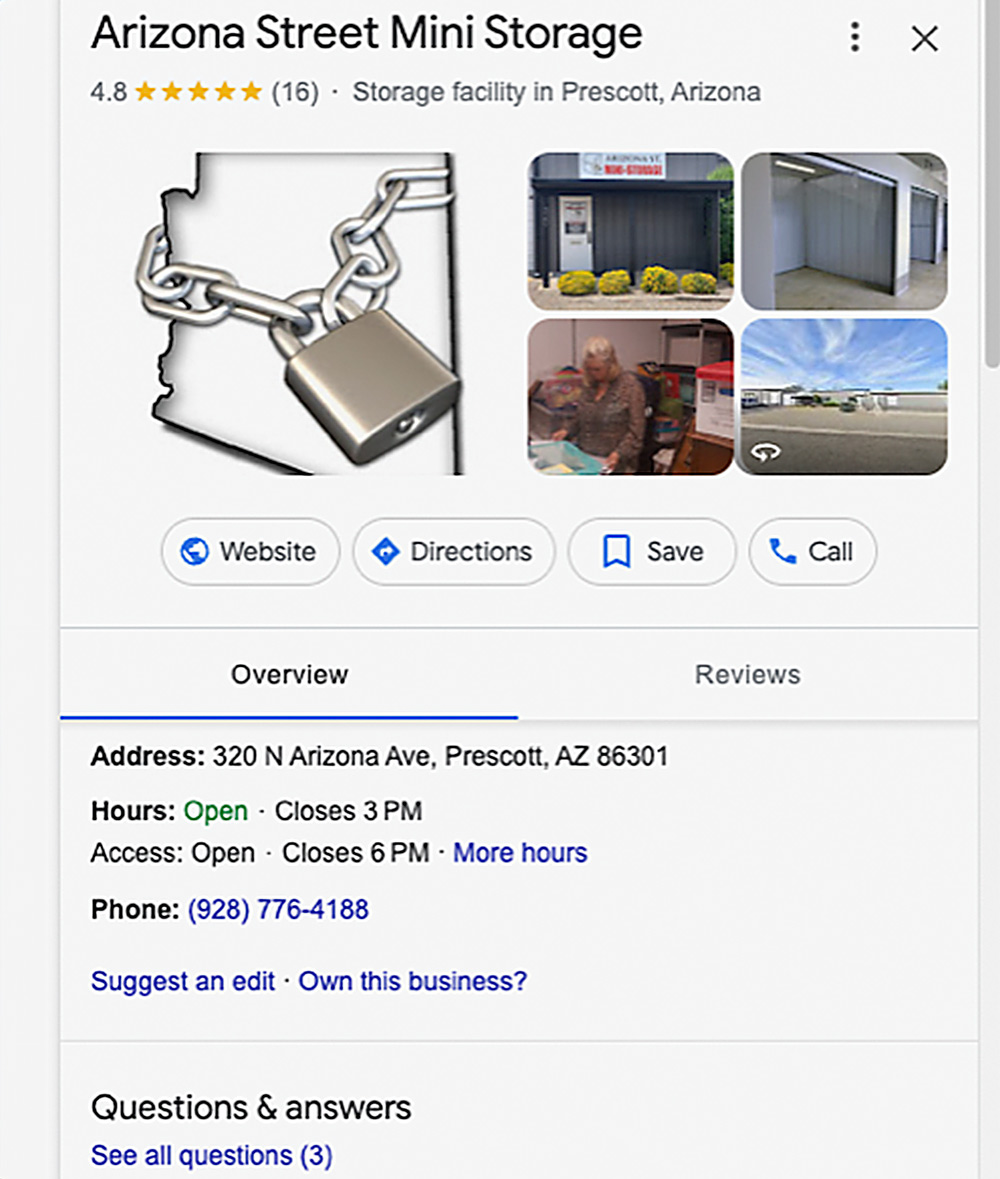
If they know your name, that matters also. Just looking at the several self-storage facilities that came up in Prescott, this one caught my eye because they have a logo. When I searched for their exact name, Arizona Street Mini Storage, I could get more info from their website. Notice in this screenshot, that their Facebook page came up in the search. That’s your next free tool!
But first, let’s go over what your GBP should look like. Go to https://business.google.com/ and log into your Google account. If you have a Google Business Profile, it will come up. If you don’t, then follow the steps and it will guide you in setting up your profile.
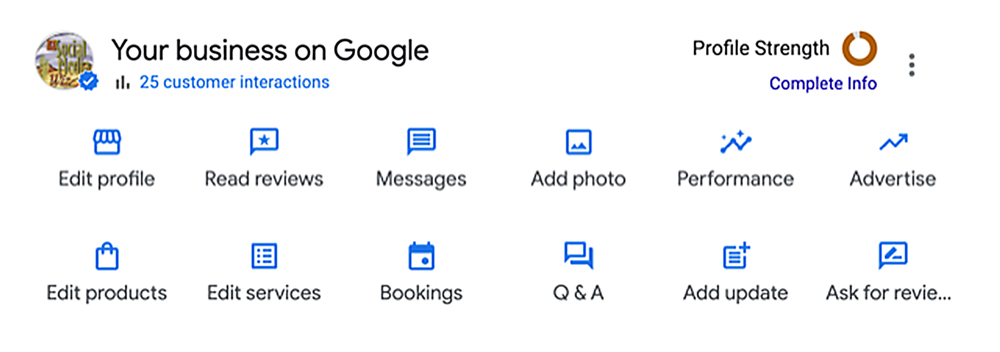
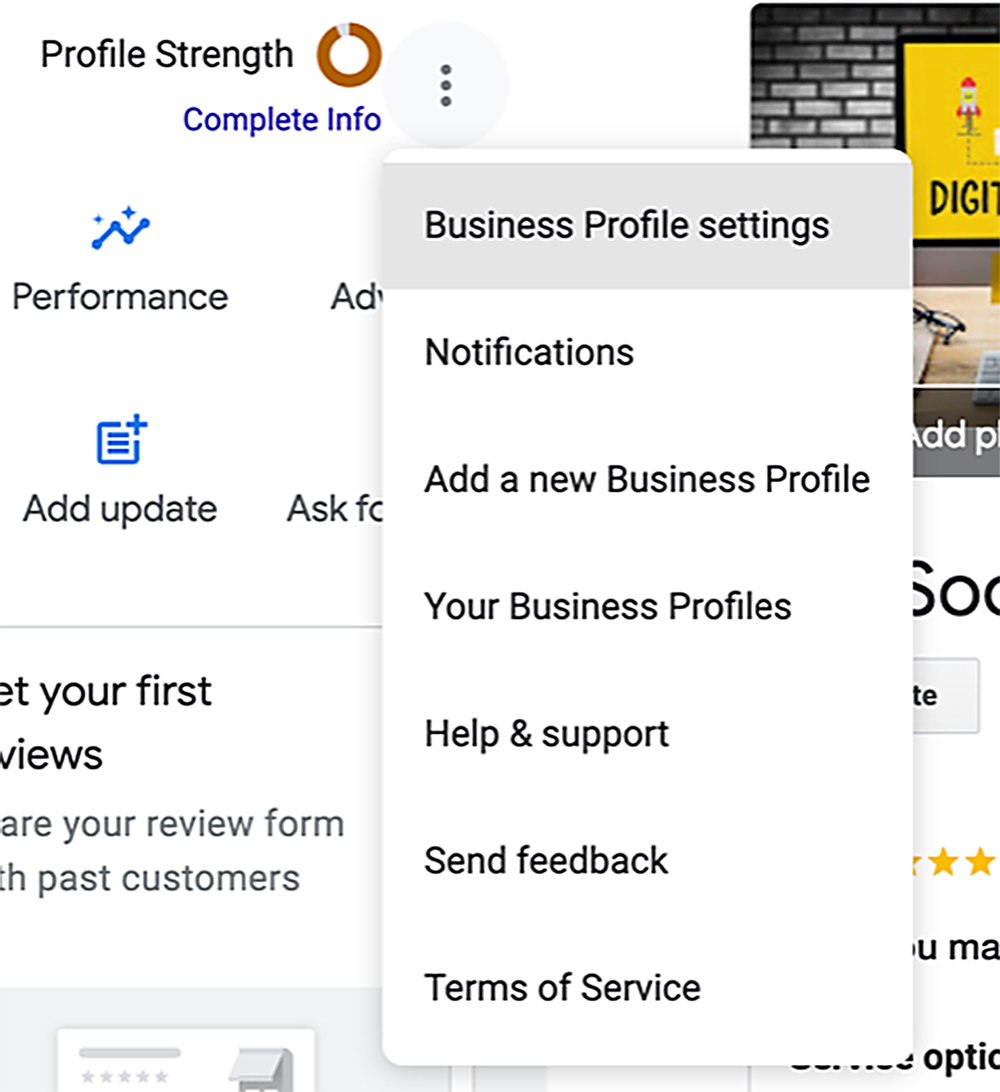
(See Images 6 and 7)
- Business Profile Settings — This is where you can add other managers. I recommend at least two people have access to your profile.
- Notifications
- Add a New Business Profile — This will apply if you have multiple locations.
- Help & Support, etc.
Go through each of these and make sure that everything is filled out and optimized with keywords.
Is the information you provided correct?
- Are your hours correct? Do you have holiday hours? Believe it or not, this is important.
- Are your blog articles posted?
How do you know if your profile was suspended?
- Your GBP listing is no longer visible on Google and Google Maps.
- You’ve lost control of your listing. This may happen when there’s a change in management or ownership, or an employee leaves and takes all your passwords with them.
- Your business is “unverified.”
You may have received a notification like: “Your access has been suspended (or disabled) because this profile doesn’t follow the guidelines.” They should provide a button for you to be able to edit your profile.
They also send you an email saying, “Your business profile has been suspended. Violation type: Content that violates our policies on deceptive content and behavior isn’t allowed. Deceptive content intentionally misleads or deceives others.”
You’ll see an “Appeal” button to appeal this discussion. Most times, they won’t tell you the offense. It’s up to you to determine what it was and avoid doing it again. You must fix what’s wrong before you submit your appeal.
It’s possible that you’ve been overzealous in your posting and Google thinks you’re spam. Maybe something you posted offended someone with a lot of clout. Don’t be surprised if a competitor is behind bad reviews or reporting your facility.
There are two types of suspensions: a hard or soft suspension. A hard suspension is when your business profile doesn’t appear when you Google your business name and city. This is bad. Google may have suspended you if it thinks your business is closed or you’re using spammy tactics. A soft suspension is when your profile comes up and you have access to your dashboard, but it looks like it’s never been verified as a local business and you can’t manage or update your listing. Here’s how to avoid being suspended by Google:
- No keyword stuffing (that’s overusing your keywords or your business name.)
- Don’t make a lot of changes or edits to your profile in one sitting.
- Listing your business hours as 24/7. If you have 24-hour access for your customers, that should be in your description and/or your services. State your office hours clearly. If you have a live-in manager, state the after-hours contact info clearly. Google may suspend you if your information is confusing in any way.
- You accidentally created more than one listing for the same location. In this case, disable the one that’s less complete. By no means should you create a new listing if your current one was suspended!
- Make sure any managers of your listing(s) are in good standing with Google.
Don’t violate any of Google’s terms of service (https://support.google.com/business/answer/7667250).
(See Image 7)
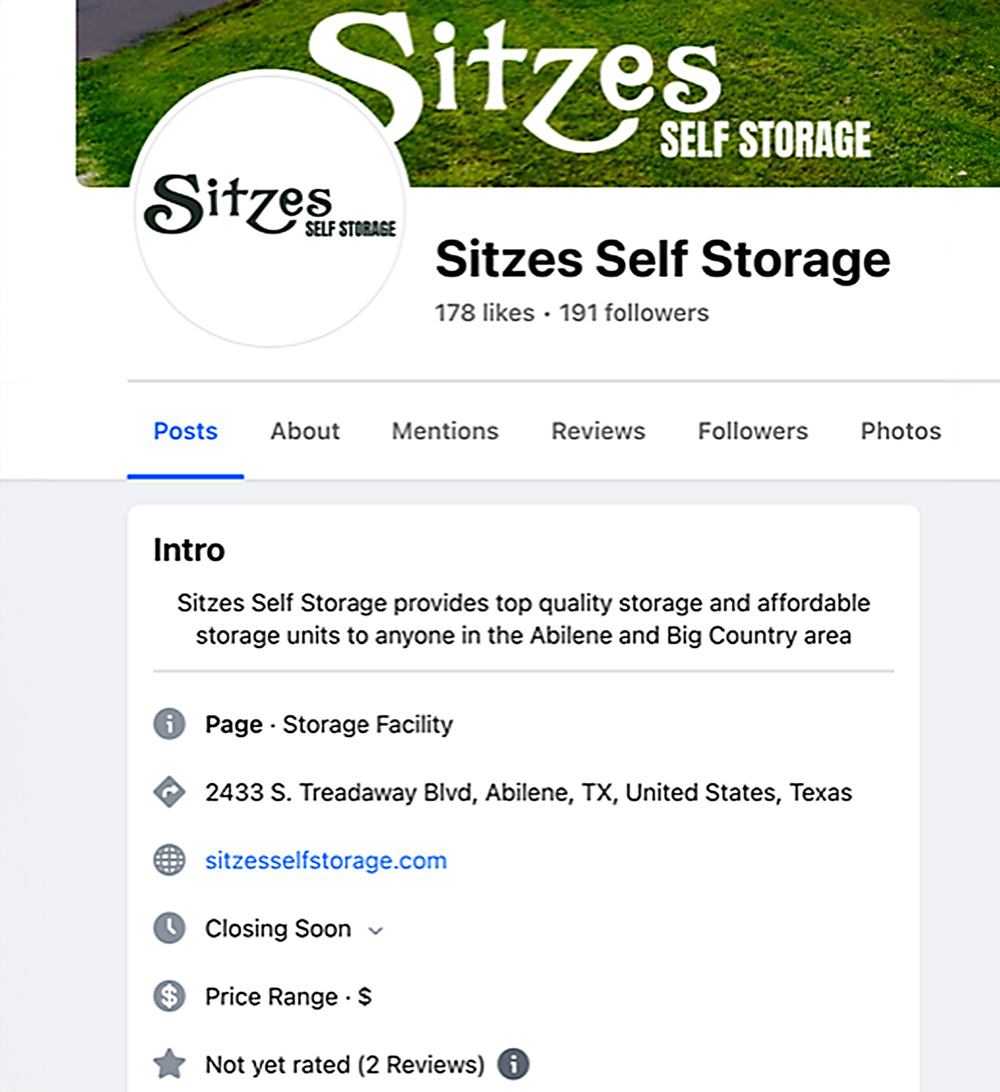
On Facebook, I did a search for “self-storage;” after the big corporate companies, the first independent self-storage facility that came up was Sitzes Self Storage in Abilene, Texas. This is a fairly nice Facebook page. It could be improved by adding more information in the About section, like services, however, I was impressed by the video they posted and the fact that they’re posting regularly.
Given that the self-storage business is not as glamorous as a restaurant, you’re not going to get many folks “checking in” at your location or taking pictures of themselves in their storage units. Nevertheless, you need to ask your happy customers for reviews, not just on Facebook but on Google, too.
This is easy to do if you email receipts to your customers. Just add a link to both and they can choose their preferred platform.
One more important, helpful thing: Every time you upload a video or picture, tag your location. If you have more than one location, you need a Facebook page for each one.
- Make sure your address is on your profile.
- Tag your location on every video or picture you upload.
- If you get an interesting customer, like someone storing a classic car, ask if you can take a picture of them in front of their car nestled safely in the storage unit with their phone. They, in turn, can upload it to their account and tag your business and location.
- Post stories (images or a short vertical video) at least once or twice a week. Tag your location, add your website, and any promotional information. Share them on Facebook, too.
A few points to remember:
- Links work in Facebook posts (in the text area) but not in Instagram posts.
- Links work in Instagram stories but not in Facebook stories. Yes, I know it’s confusing.
- You have less space in your Instagram bio than on Facebook, so use it wisely.
All in all, if these profiles are set up and optimized, and you post regularly, your search results, and ultimately your conversions (AKA sales), should improve.